

How to Scrape Zoopla.co.uk for Real estate and property data, Step by Step guide (no code )
By Admin @January, 25 2022
This tutorial will show you how to scrape zoopla.co.uk for all UK property listings for sale and rent.
We will be using the Zoopla web scraping tool available at WebAutomation Marketplace.
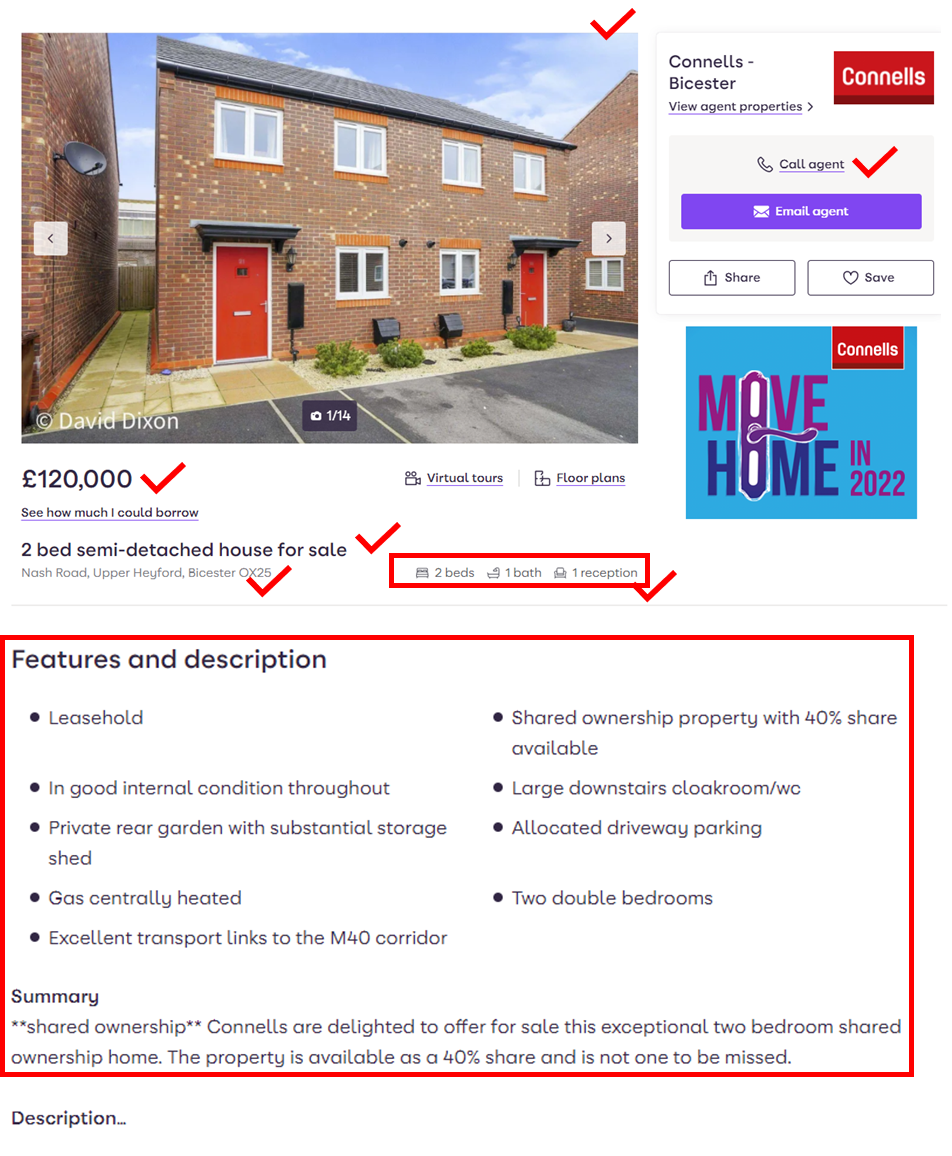
Our Zoopla.co.uk pre-built web scraping tool allows you scrape to gather property information such as – Address, Agent name, number of bedrooms, price, images, and 5+ other property details within minutes.. No python coding needed!
Our advanced scraping method works like a real user, allowing you to extract all the data you need without being blocked.
All you need is a free WebAutomation account and a search URL from Zoopla.co.uk, and you can turn the valuable information in Zoopla into a spreadsheet or an API, enabling you to finally leverage this powerful database.
In this tutorial, we walk you step-by-step through the whole process.
Address
Agent
Agent Phone
Price
Number of Bedrooms
Number of Bathrooms
Latitude
Longitude
Property URL
Property ID
Images
Features
Description
See screenshot of some of the data the scraper will collect below
For this user guide, we are going to use Webautomation.io Wizard mode
If you don't already have a Webautomation account, you can sign up for a free trial account with your email here.
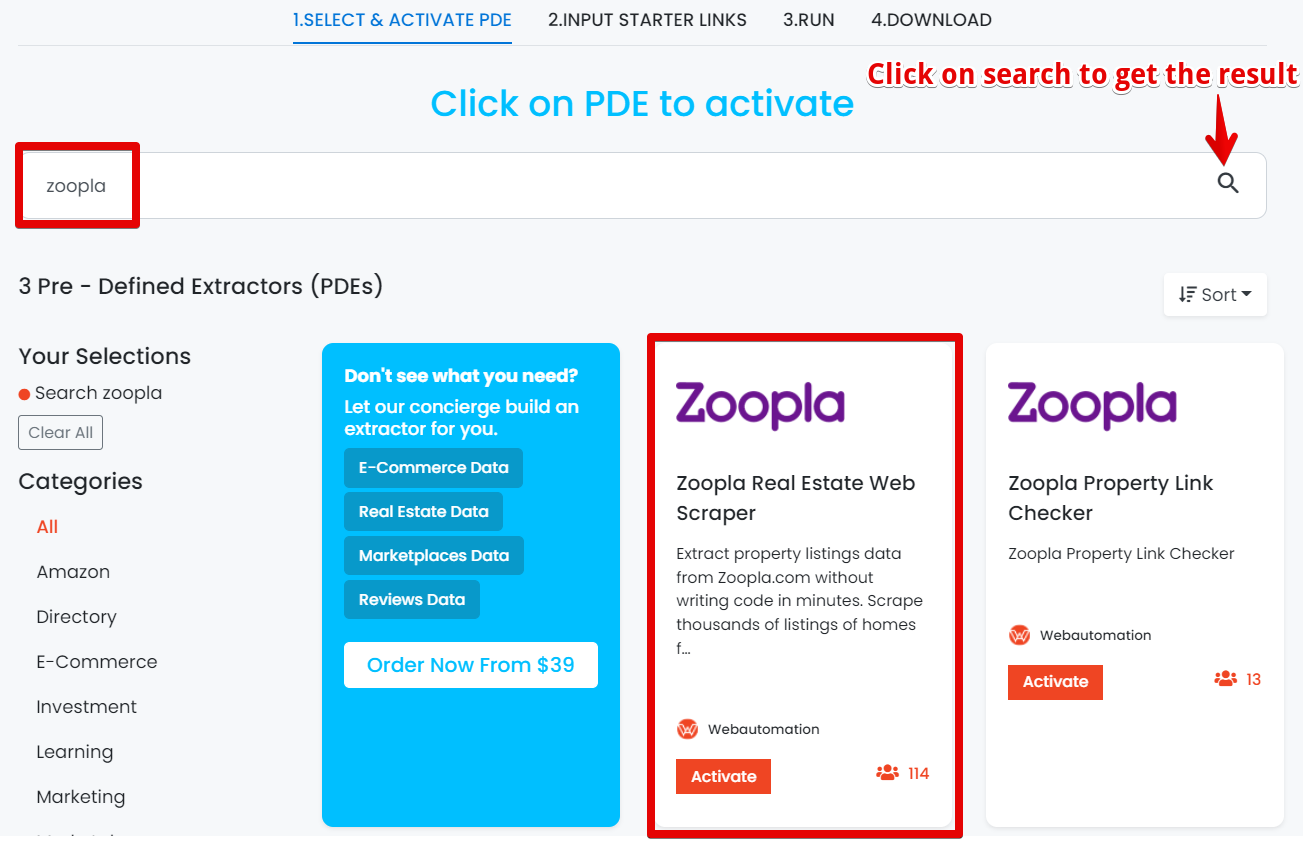
When you log in, you will be redirected to the ‘Get started wizard’. Go to the search bar and enter ‘Zoopla’ and then click on the search icon on the right side as shown below. After getting the search result click on it to activate.
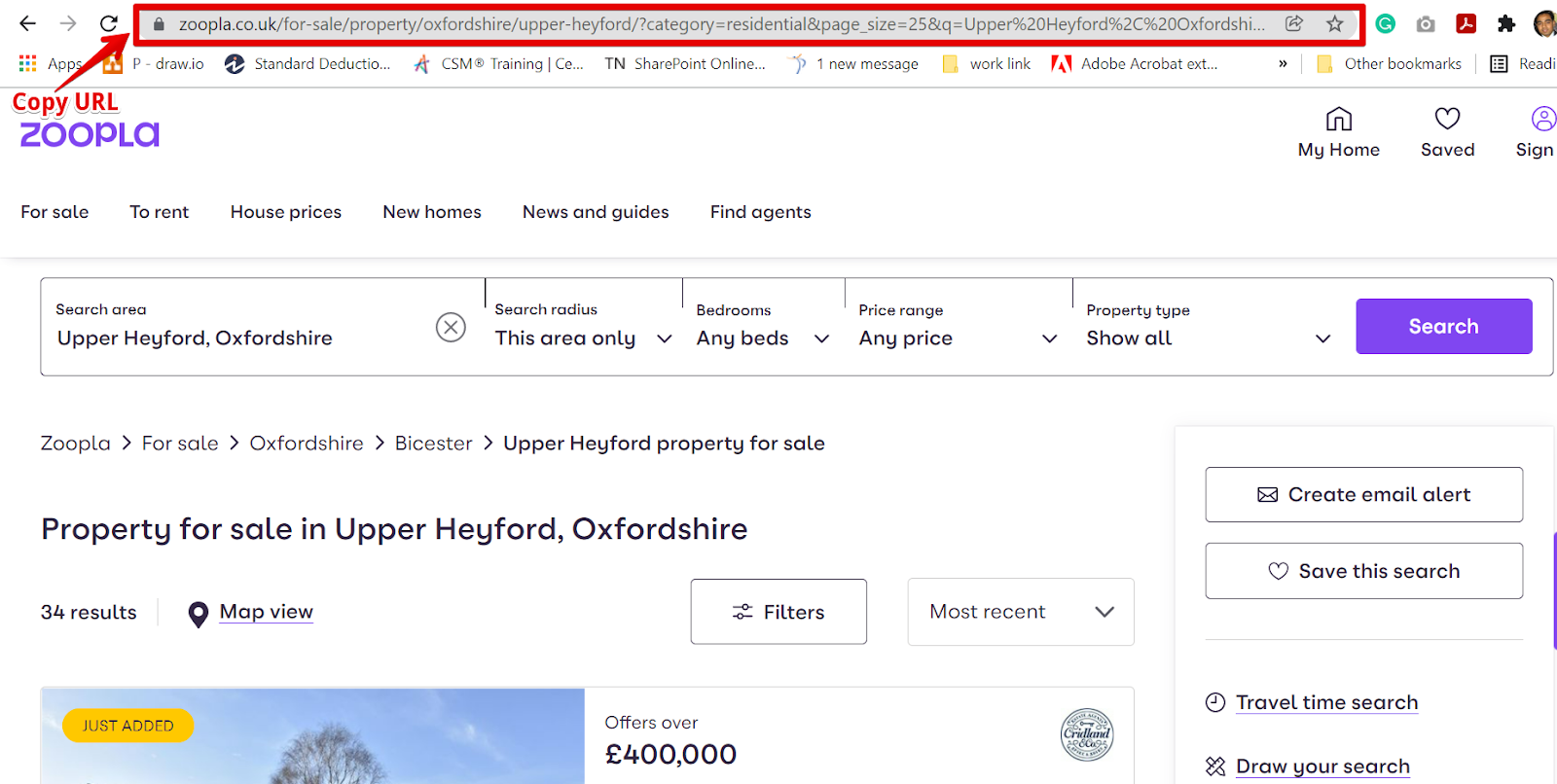
Go to Zoopla website in a new tab, and then find the result by using the search feature. For example, let's search for any beds in Upper Heyford, Oxfordshire area with any Price range and all Property type.
When your search is completed, copy the URL and go back into WebAutomation. Find the URL below that we used below
https://www.zoopla.co.uk/for-sale/property/oxfordshire/upper-heyford/?category=residential&page_size=25&q=Upper%20Heyford%2C%20Oxfordshire&radius=0&results_sort=newest_listings&search_source=refine#listing_43016780
P.S
The only valid format for URLs contains /property/ and starts with https://www.zoopla.co.uk
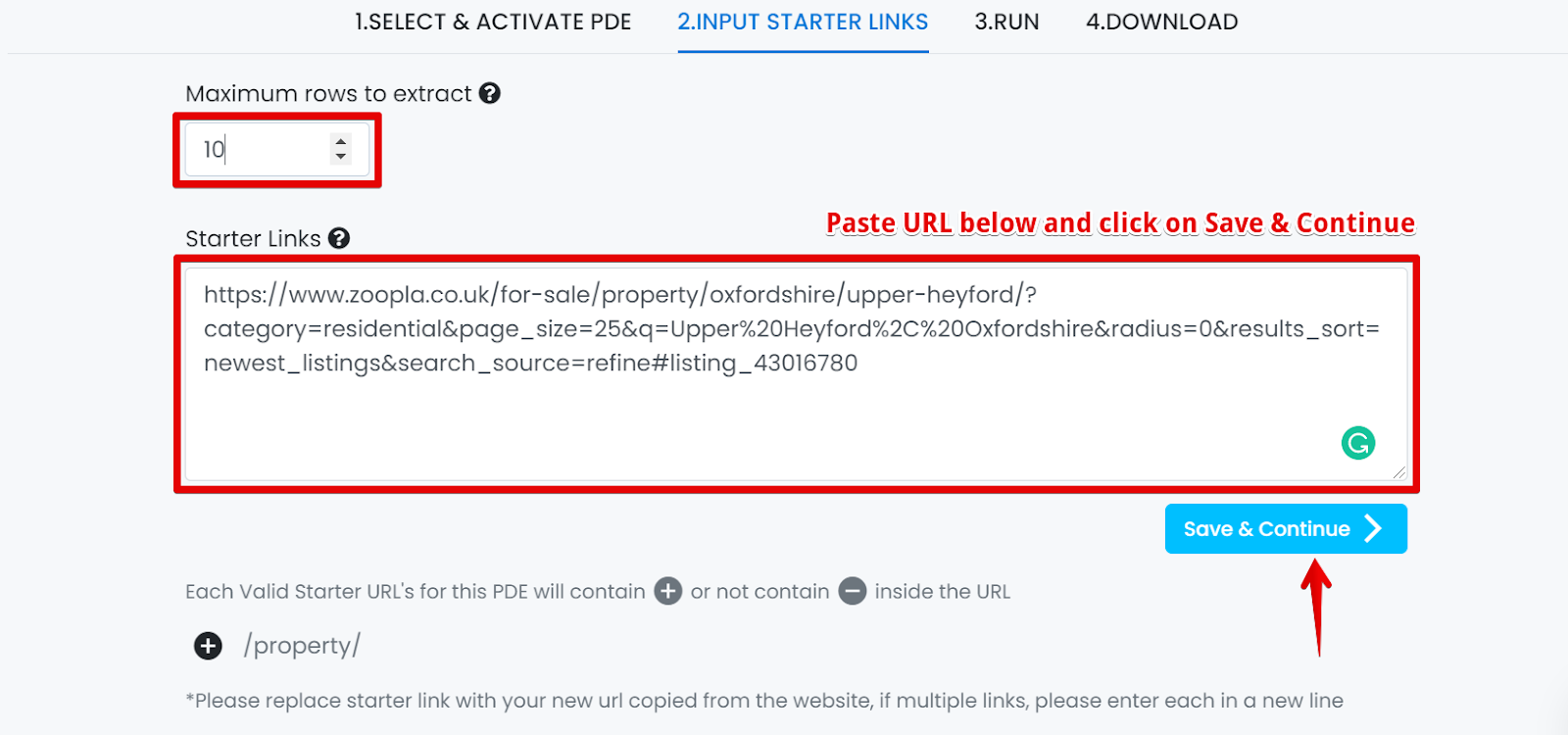
To control the amount of data you want to get back use the ‘Maximum rows’ to extract" feature. If you want all results please leave as blanck or "0"
Now copy and paste the url you generated from Zoopla and then click on ‘Save & Continue’.
Pro tip 1: To get the best results, make your search as specific as possible so you limit your results and don't waste credits on unwanted results.
P.S Zoopla.com only shows a maximum of 1,000 results per search
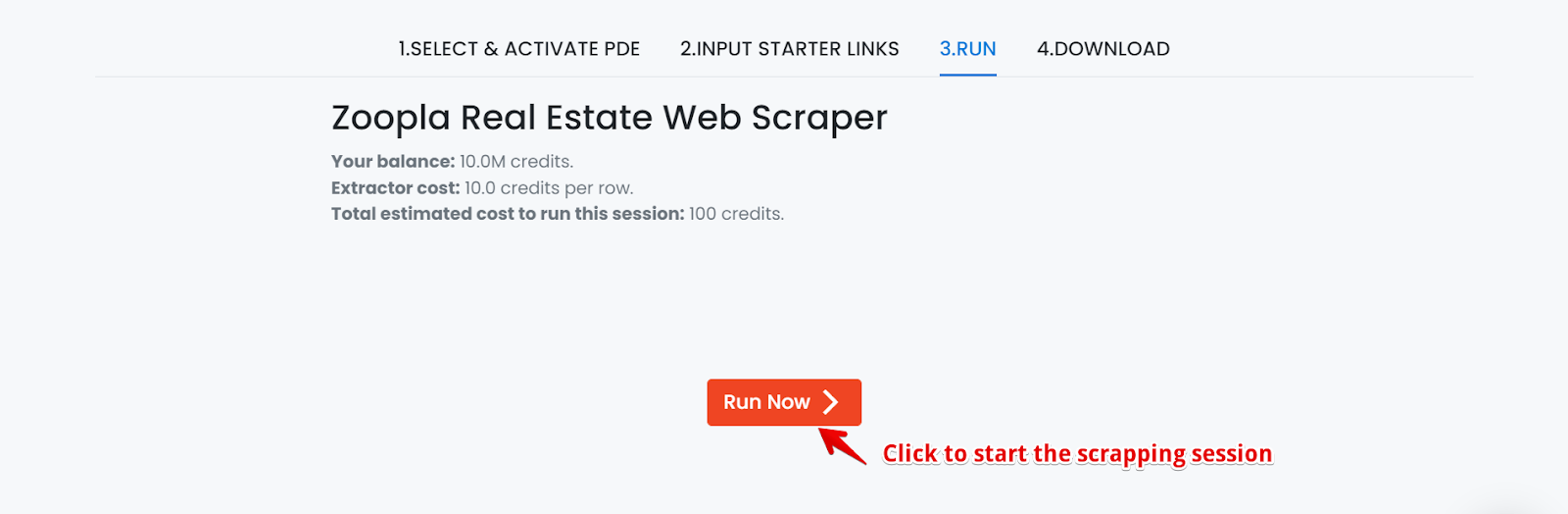
Users should have the ability to click on the "Run now " button to start the extractor session as shown below.
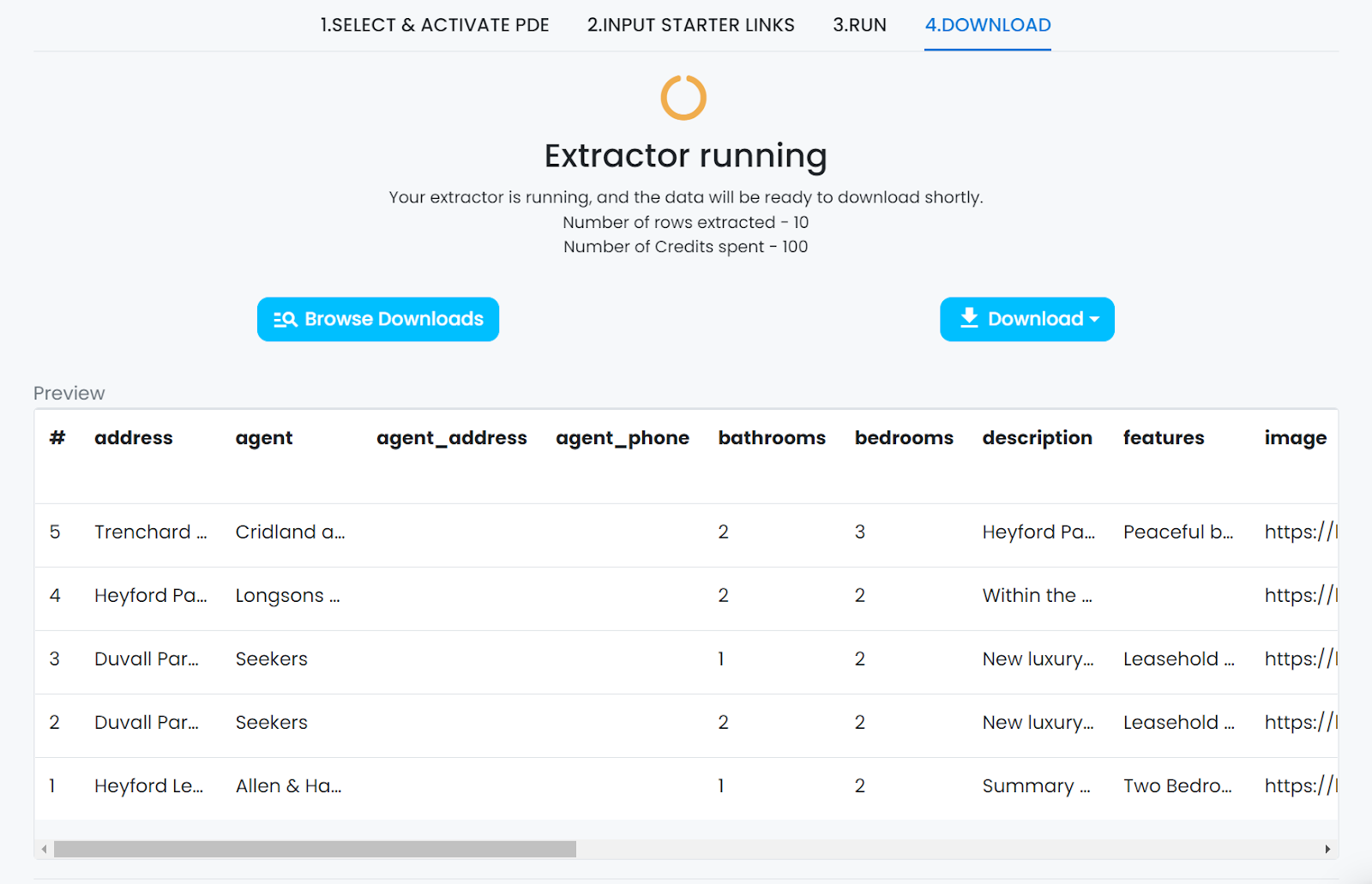
Depending on the number of rows needed to be extracted it will take some time even in some cases hours to scrape all the results. The extractor will show the status as running while collecting all the data. Data preview of 10 rows are shown below.
There are two ways to download the data.
Users should be notified by email once the extractor is finished. Users can click on the given link and redirect to your account and go to the Data tab to download the data.
User can directly log in in webautomation tool and go to the Data tab to download the data.
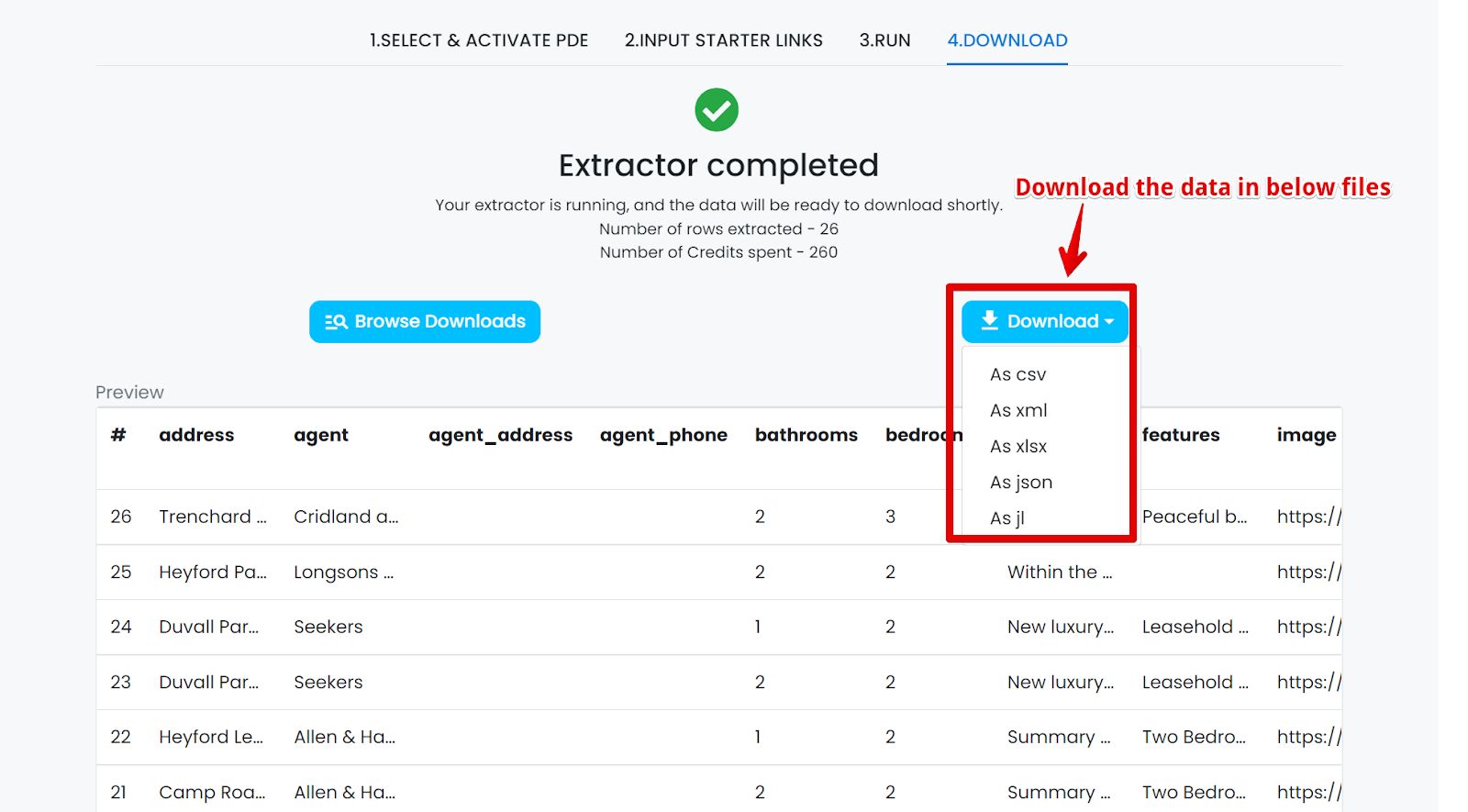
Users should have the ability to download the data as CSV, JSON, XLSX, XML and JL as shown below.
In this example, I am showing you a CSV file to download the report, so we will use Microsoft Excel to open the file.
Property value tracking
There are numerous factors that can affect the price of a property. Be it new developments around an area or government policies regarding infrastructure. The real estate market is extremely volatile and the prices of property often fluctuate. To make sure you choose the best deal, you need a comprehensive database of all prices in the past. And web scraping is perfect for that.
Making the right investment
Without a set of comprehensive data about the real estate market, the investors will often be left to make decisions blindly, only depending on their hunches and incomplete knowledge. With the help of web scraping, investors can be updated with the information in real-time and make decisions that are best suited for their growth.
Rental efficiency
Rental is an integral part of property investment. Often people invest in multiple residential properties and put them up in the market for rent. Web scraping can help you pinpoint which properties will have the best rental income, which areas are favoured and which ones are up and coming.
Scraping Zoopla is a great start to a data-driven strategy to grow your business. Our Zoopla web scraper makes it easier than ever. With just a click of a button, you will have a plethora of data to work with.
And the best part?
Our web scraper requires no coding.
With WebAutomation, web scraping is just that easy.
Sign up for a free trial for our Zoopla web scraper and start growing your business today.
We aim to make the process of extracting web data quick and efficient so you can focus your resources on what's truly important, using the data to achieve your business goals. In our marketplace, you can choose from hundreds of pre-defined extractors (PDEs) for the world's biggest websites. These pre-built data extractors turn almost any website into a spreadsheet or API with just a few clicks. The best part? We build and maintain them for you so the data is always in a structured form. .
RECENT POSTS
RELATED POSTS
CATEGORIES
follow us on



 Linkedin